
What Is Link Aggregation and How Does It Benefit Your Network?
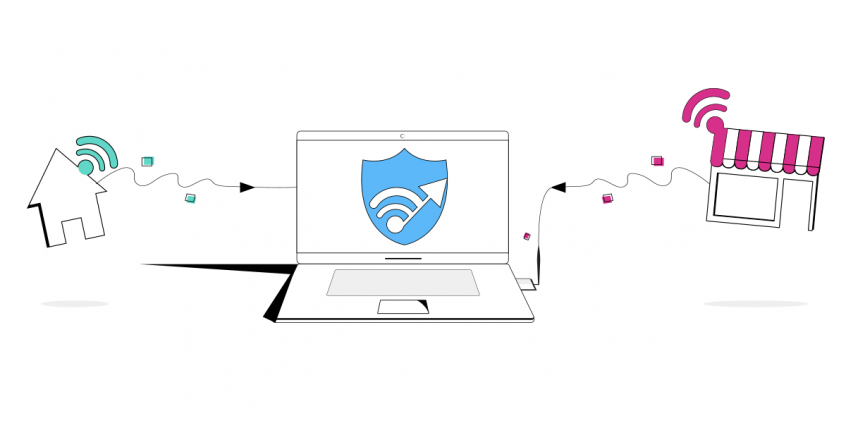
In a nutshell, link aggregation on PC (or trunking), is a method of combining two or more physical Internet links into a single logical link. The most popular association people make with link aggregation on PC is NIC teaming – combining 2 wired Ethernet connections. So if two 1 Gbps ports were aggregated, in theory you would get a total aggregated bandwidth of 2 Gbps.
When you do link aggregation on PC, you bond multiple internet connections. This is ideal nowadays, as more and more people have more than one Internet source available. But, as the number of Internet users increases, the complaints related to slow bandwidth and service issues also increase. The USA alone has nearly 290 million internet users as of 2016. This makes link aggregation on PC more alluring. See below how to easily get more bandwidth for your needs!
Use Speedify to increase your upload and download speeds: combine internet connection sources like Wi-Fi, 4G, 5G, Starlink and wired broadband

Combine Wi-Fi, 4G, 5G, Starlink and wired broadband to fix slow upload and download speeds
Speedify is the only app that seamlessly combines all of your connections, including Wi-Fi, 4G, 5G, Ethernet, and Starlink, into one stronger connection to keep you online and secure.
In most cases, Speedify will automatically detect and start using any available Internet connections on your device while intelligently distributing your online traffic between them for optimal performance. If you need help we have quick start guides available for most common set ups.

Combine personal hotspots for better upload and download speeds
Speedify's Pair & Share feature enables you to connect to multiple hotspots at the same time and wirelessly share LTE, 4G, and 5G cellular connections back and forth between multiple Speedify users on the same local network to create a faster, more reliable connection for everyone.
For the first time, it's possible to share cellular data between multiple devices, including PCs, Macs, iPhones and Androids. Use multiple phones as hotspots for internet access and get increased bandwidth and mobile failover for all paired devices.
Use Speedify to combine...
Combine these connections on:



What Are the Pros and Cons of Link Aggregation?
Not clear where to get extra connections to combine on your PC? Here’s a guide on that.
Link aggregation offers the following benefits for your Internet connection:
- More stable and always available. If one of the connections goes down, traffic is dynamically and seamlessly reassigned to one of the other physical links. It’s not load balancing, but channel bonding!
- Better used in terms of physical resources. Traffic can be dynamically reassigned across the physical links.
- Increased bandwidth. The aggregated physical links deliver higher bandwidth than each individual link.
- More cost effective. A physical network upgrade can be expensive, especially if it requires new cable runs. Link aggregation increases bandwidth without requiring new equipment.
On the downside, if we’re talking exclusively about link aggregation on PC, you’ll have to take into account the cost of the extra Internet connections. At home you’re already paying for Internet, so if you want to add another connection, you’ll have to pay for that, whether it’s a second line from your ISP or mobile data. However, when traveling, this aspect almost doesn’t matter, as you do need good Internet to live stream on your favorite platform.
How Much Data Will Link Aggregation on PC Use?
Nowadays you can live stream content online, but that can get your data bill high if you’re streaming from a cellular connection. Let’s take a look at audio streaming.
As per Android Central, some services offer super-HQ streaming music, most services use the same scale: Low, Normal and High. And most use the same bitrate (the number of bits per second that are transmitted digitally) to define each category. Here’s how they look and how much data each will consume.
- Low quality is typically 96 kbps. On average, Low-quality audio streaming uses 0.72 MB per minute or 43.2 MB per hour.
- Normal quality is typically 160 kbps. Normal-quality music streaming uses 1.20 MB per minute or 72 MB per hour on average.
- High quality music is typically 320 kbps. High-quality streaming music uses 2.40 MB per minute or 115.2 MB per hour on average.
See more examples of required bitrates for video streaming and VoIP calls.
So, the question is: if you don’t have it yet, are you willing to shell out more money for a faster, more reliable internet connection via link aggregation on PC?
4 Tips for Link Aggregation on PC Without Spending Too Much on Data Usage
Planning on using the Internet for some bandwidth intensive activities like downloading online content or streaming online content? You can simply use your home internet for it. Most home internet connections offers an unlimited plan. However, if you’re planning on using your limited data cellular connections for this, watch out for the mobile data bill.
You can be creative on how you can improve your internet experience while not spending a whole lot of money when doing link aggregation on PC. Here are some tips!
- Search for free Internet connections nearby – this includes public WiFi networks.
- Get a second connection from a different ISP. This will help when one of them has an outage.
- Get an unlimited data plan with your carrier. You will then be able to toss your smartphone into the link aggregation mix.
- Use Speedify bonding VPN. You will be abe to do easily set up link aggregation on PC. You fully configure how your connections will be used in terms of priority and data caps. Also, your connection will be secured with VPN-grade encryption.
Why Speedify Is the Best Solution for Link Aggregation on PC
Speedify uses channel bonding technology that allows you to combine any type and number of connections together at once. This results in faster, more stable and secure Internet.
If you have a 20 Mbps connection from your home internet and 30 Mbps from your cellular data connection, Speedify will be able to get you up to 96% of their combined bandwidth. On top of that, you will get a secure connection that will stop hackers and snoops from tracing you and also help bypass content restrictions.
Speedify also offers a seamless data management feature. It allows you to set specific limits for your data which can save you a lot of money!
And this is how you can be smart and do link aggregation on PC! Just connect to all available connections from your PC and turn on Speedify. We’ll handle the rest!


Speed
Stability
Security
Speedify devs love talking tech on YouTube, Tiktok, and Instagram!
Alex Gizis and the Speedify devs discuss and explain technology including Starlink satellites, Wi-Fi 7 routers, Apple networking features, fiber optics, broadband internet, 5G mobile networks, AI, networking protocols, and much more. Follow Speedify on YouTube, TikTok, Instagram, and LinkedIn!
Alex and the Speedify team are always exploring the latest in networking and security technology—like 5G, 6G, WiFi 7, laser and satellite internet—and sharing it in new discussion content across YouTube, TikTok, Instagram, and LinkedIn every week.
Got a tech question? Let's go deeper! Pop into Speedify Office Hours live every Wednesday at 10 AM Eastern. Speedify CEO Alex Gizis and our network engineers are standing by to break down your questions about networks, tech updates, and Speedify features.
