
Slack Not Updating New Messages? Speedify Helps You Fix It: Join Multiple Internet Connections Together – Like Starlink, Wi-Fi, 4G, 5G, and DSL
Messages that only appear when you click into a channel, or a Slack window that sits unchanged for minutes, point to short gaps where data is not reaching your device. Slack holds a live link open for new messages, and a weak Wi-Fi signal or a network that drops for a moment breaks that link quietly. The same gaps can leave Slack messages stuck and not sending.
Speedify is an app that draws on Wi-Fi, 4G/5G cellular, wired Ethernet, Starlink and other internet connections all at once, so the live link Slack depends on survives a dropout on any one of them. With only one connection, Speedify works as an encrypted VPN and cannot stop that connection from dropping.
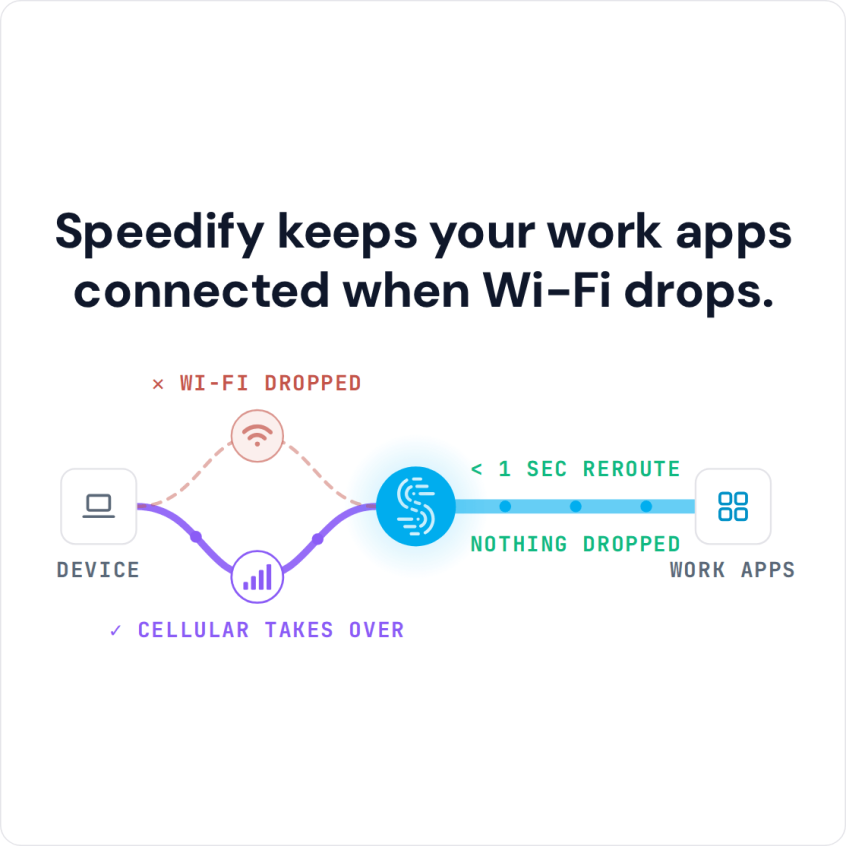
Speedify keeps your work apps connected when Wi-Fi drops.
What follows explains why Slack stops updating, and how using Speedify keeps messages arriving.
Troubleshoot Slack
A speedy and stable connection is required for Slack to function properly whether you are on the go or at your home office. Slack not updating new messages can stop the flow and could risk the collaboration efforts of your team. If Slack is not updating new messages chances are your connection is causing the issue. The good people behind Slack are aware of this and have a great article that can help you.
Slack not loading new messages looks a little different but has the same cause: a channel that stays empty, replies stuck loading, or message history that never finishes. Start with the quick fixes: check status.slack.com for an outage, reload Slack (Ctrl+R on Windows, Cmd+R on a Mac), and if that fails, use Help > Troubleshooting > Clear Cache and Restart in the desktop app.
Speedify Fixes Connection Related Slack Issues
In order to use Slack as a real time live chat tool (including calling and messaging), what you need to do is fix the way your phone or computer uses the spotty Internet connections you may be connected to.
Speedify puts every internet connection on your computer or phone to work. Instead of only using Wi-Fi or 4G/5G cellular, Speedify uses both connections at the same time (on a computer, the cellular can come from a phone connected by USB), for a faster and more reliable internet connection.
When you are using Speedify, if you accidentally go out of range of Wi-Fi while on a Slack call, Speedify will automatically begin using your other working Internet connections. The same goes for messages: with two connections, a drop on one does not stop Slack, so it can update new messages right away.
Speedify Helps with More Than Slack Messages Not Updating
Speedify does more than improve your Slack connection: Speedify also protects the privacy of your online data from cyber threats and prying eyes on unprotected networks. Even on public Wi-Fi networks, your traffic stays encrypted.
For Slack users, Speedify offers more reliability and speed, plus encryption for text chat, file transfer, media sharing, and VoIP calling from wherever you may be. Get started now for FREE: the free tier includes 5 GB per month with a free account.
Speedify
Get started with Speedify today.
Speedify combines Wi-Fi, 4G/5G cellular, Ethernet, Starlink and satellite into one faster, more reliable internet connection. Free to try: 5 GB a month with a free account. No credit card required.
🚀 Speed
Faster uploads and downloads, because Speedify uses all your internet connections at once.
📶 Stability
If one internet connection drops, Speedify moves your traffic to the others in milliseconds.
🔒 Security
AES-256 encryption on every internet connection, on any network you join.



15M+ downloads worldwide. 75K+ five-star reviews on iOS and Android.