
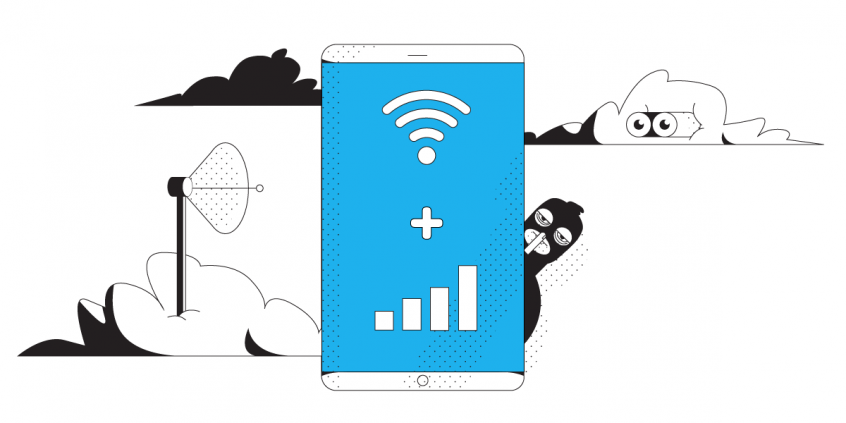
Unbreakable VPN Connection for Phone by Combining Wi-Fi and 4G / 5G Cellular with Speedify
What does a VPN actually do for a phone? A VPN encrypts your traffic so the network you are on cannot read it.
Speedify adds the part most VPN apps leave out: Speedify runs your phone’s Wi-Fi and 4G/5G cellular data at the same time, so uploads and downloads travel over two internet connections instead of one. Photos and video post faster, video calls hold, and losing Wi-Fi mid-sentence does not knock the phone offline.
Five reasons to run a VPN on your phone follow, from hackers on public Wi-Fi to reaching work files from the road, along with what using Speedify gives you that a plain VPN app does not.
Should you have a backup 4G, 5G, Starlink, or cable internet connection?
Yes — every internet connection goes down, including Starlink, which drops for ~34 minutes a day on average. A backup connection from a different provider means one outage never takes you fully offline. The most common options are a 4G/5G cellular hotspot, a cable or DSL line, or a second satellite dish.
4G/5G cellular
Works anywhere. Just a SIM or hotspot — no installation needed.
Learn more →Cable / DSL
Best for fixed locations. Different network, so outages rarely overlap.
Learn more →Second Starlink
Adds redundancy and throughput for remote sites or heavy usage.
Learn more →Speedify bonds any two connections into one — automatic failover, more speed, no dropped calls.
Try Speedify free →What is a VPN?
1. Is Your Private Data Safe When Connected to the Internet on Your iPhone or Android Smartphone?
Nowadays the smartphones we use are constantly connected to the Internet, exchanging data, syncing your emails, social media accounts and other profiles. But what if somebody intercepts that traffic and gets a hold of your credit card numbers, Facebook password, confidential emails and messages, and browsing history?
This is highly probable, especially when using unsecured public WiFi networks – as they have no encryption at all, even at the network access level. And if the WiFi networks is secured, it’s still not enough.
Solution: install a VPN service on your smartphone! Today’s VPN solutions are also available for mobile platforms, so you just have to choose the one that best fits your security needs (and budget) and get going.
2. Is Your Android Phone Hacker- and Ransomware-Proof?
More and more companies report the rise of mobile phone ransomware attacks. And yes, they work as in the case of computers – they lock the device demanding a payment in a virtual currency such as Bitcoin to restore it to its original state.
Remember Wannacry ransomware earlier in 2017? The best way to protect yourself while on the Internet is not to be discoverable by a potential attacker. So, if you don’t want to be that guy or gal who is “lucky” enough to be targeted, you should get a VPN service right away on your mobile phone. It will create a secure and encrypted “tunnel” between your device and a remote server in the cloud so that a hacker will not be able to scan and push malware your way.
3. Need to Access Corporate Private Files on Your Phone when Working Remotely?
Sometimes it’s much easier to reply to someone via email from your iPhone or Android smartphone. But if you need to attach a confidential document (presentation, worksheet, etc.), you’d typically have to get them from the company’s online drive, which will require a secure connection.
If you’re using a VPN on your phone, not only you will be able to quickly do that, but also work in a completely secured environment, without any potential “leaks”.
4. Want to Unlock Restricted Content Online?
Some of the content on YouTube, Netflix, Hulu, BBC, The Wall Street Journal is restricted to certain areas only. This means that if you’re trying to access your service from abroad, you will not be able to do so.
This is where a VPN service also comes in handy – it will allow you to connect to a server that is located within the area where the content can be accessed – e.g. if you’re in Europe, you’ll be able to select a US server to watch your favorite streaming video shows right there on your phone!
5. Need More Bandwidth for Live Video Streaming or Uninterrupted Business Calls?
You may be wondering what’s the relevance of this when it comes to a VPN solution. As it turns out, mobile VPN services allow you to use multiple Internet connections at once, so you’ll get increased bandwidth and lower latency for your needs. This may translate into no buffering for video streaming, no disconnections for your business calls and the ability to run a live broadcast on Facebook, YouTube or Twitch at higher quality.
But remember – this only applies to mobile VPN services, like Speedify. All the other “traditional” VPNs will keep you protected, but with those you will compromise on speed and reliability.
Alex and the Speedify team are always exploring the latest in networking and security technology—like 5G, 6G, WiFi 7, laser and satellite internet—and sharing it in new discussion content across YouTube, TikTok, Instagram, and LinkedIn every week.
Got a tech question? Let's go deeper! Pop into Speedify Office Hours live every Wednesday at 10 AM Eastern. Speedify CEO Alex Gizis and our network engineers are standing by to break down your questions about networks, tech updates, and Speedify features.

Speedify
Get started with Speedify today.
Combine Wi-Fi, 4G/5G cellular, Ethernet, Starlink, and more into one faster, steadier connection. Free to try — no credit card required.
🚀 Speed
Faster uploads and downloads by bonding all your connections at once.
📶 Stability
Automatic failover in under a second when any connection drops.
🔒 Security
AES-256 encryption on every connection, on every network you join.



15M+ downloads worldwide. 75K+ five-star reviews on iOS and Android.