
How to Live Stream to YouTube, Facebook, Twitter and Other Platforms with Castr
Castr is a professional streaming platform that includes all the elements for live video streaming, including hosting videos, scheduling and monetization. It's not a live streaming studio in the classic sense (like StreamYard, Restream, etc.) - for that you will need an encoder software, like OBS.
Castr connects to your encoder through the dashboard and broadcasts the signal that you send. It provides a stream key and URL like the ones you collected from your social platforms. Castr needs to be set as a custom 'RTMP' link for the encoders that provide this option.
This article is a step-by-step guide on Castr live streaming to multiple platforms. It also presents a way to make sure you don't run into any live streaming issues, especially those related to Internet connectivity.
Use Speedify to increase your upload and download speeds: combine internet connection sources like Wi-Fi, 4G, 5G, Starlink and wired broadband

Combine Wi-Fi, 4G, 5G, Starlink and wired broadband to fix slow upload and download speeds
Speedify is the only app that seamlessly combines all of your connections, including Wi-Fi, 4G, 5G, Ethernet, and Starlink, into one stronger connection to keep you online and secure.
In most cases, Speedify will automatically detect and start using any available Internet connections on your device while intelligently distributing your online traffic between them for optimal performance. If you need help we have quick start guides available for most common set ups.

Combine personal hotspots for better upload and download speeds
Speedify's Pair & Share feature enables you to connect to multiple hotspots at the same time and wirelessly share LTE, 4G, and 5G cellular connections back and forth between multiple Speedify users on the same local network to create a faster, more reliable connection for everyone.
For the first time, it's possible to share cellular data between multiple devices, including PCs, Macs, iPhones and Androids. Use multiple phones as hotspots for internet access and get increased bandwidth and mobile failover for all paired devices.
Use Speedify to combine...
Combine these connections on:



Fast and Stable Internet Connectivity - Must Have for Successful Live Streams with Castr
Internet is what makes or breaks a successful live broadcast, no matter what live streaming software you're using, be it Castr, OBS or another one. That's why you should definitely think this through.
Having an extra Internet source while live streaming helps, but you have to think how long it takes for you and/or your streaming device (camera, computer, mobile device) to switch between the 2 connections. It's usually a minimum of 10-20 seconds - and that's an optimistic estimate.
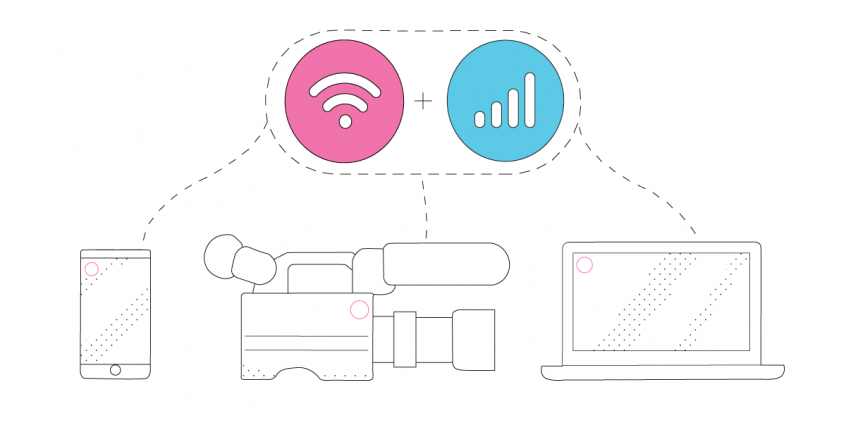
That's why you need to use all available Internet connections at once instead of keeping them as a backup and switching between them. That is called Internet bonding (a.k.a. channel bonding, link aggregation, etc.). Speedify is the only app that can combine multiple internet sources into one bonded super-connection for more stable and secure live streaming, video calling, online gaming and web browsing.
Live Streaming to Multiple Platforms with Castr - Requirements
As explained before, Castr is not a full live streaming studio type solution. That's why, alongside Castr, you'll also need an encoder for your live stream, like OBS.
Here's what you need in order to engage in Castr live streaming on your computer (Windows, MacOS or Linux):
- a camera - dedicated (like a GoPro, for example), the computer webcam or your smartphone's camera (via Camo)
- a Castr account
- the OBS Studio software
- Speedify account - for stable Internet connection.
If you'll be live streaming with Castr from your iPhone, iPad or Android mobile device, you'll need the following:
- your mobile device (smartphone, tablet)
- a Castr account
- the Larix Broadcaster app on your mobile device
- Speedify account - for stable Internet connection.
For all the above setups, the idea with Speedify is to use two or more connections together at once, in order to hit your target bitrate and avoid flaky Internet problems while simulcasting with Castr.
Additional accessories - such as an external battery pack, dedicated microphones, extra lighting, etc. - may be required especially if you're doing IRL streaming.
4 Steps for Castr Live Streaming to Multiple Platforms while Avoiding Issues
1. CONNECT ALL AVAILABLE INTERNET SOURCES TO YOUR COMPUTER OR MOBILE DEVICE
Use one or multiple of the following on the computer you'll be live streaming using Castr and OBS Studio from:
- wired Ethernet connection
- external USB 5G / 4G LTE cellular adapter
- Wi-Fi network / additional USB Wi-Fi adapters
- tethered smartphone
If you're live streaming using a mobile device with Larix, the easiest way is to carry two cellular phones. One can be your streaming device running Larix and the other one would just be used for its cellular data - you would create a Wi-Fi hotspot to connect the streaming device to it. That way you would combine cellular data with Wi-Fi from the second phone on the streaming device.
2. GET STABLE INTERNET BY BONDING YOUR CONNECTIONS WITH SPEEDIFY
If you don't have a Speedify subscription yet, you can get it from our website store, the Apple App Store or the Google Play Store.
Run Speedify and log into your account. All the active Internet sources you connected at step 1 should be recognized by Speedify. All you have to do now is choose a server to connect to - the fastest server options usually works best.
3. CONFIGURE THE LIVE STREAMING SOFTWARE: CASTR AND OBS STUDIO / LARIX
If streaming from a computer, you'll need to:
- Get started with Castr.
- Set up OBS with Castr.
- Configure Castr for simulcasting (multiple platform streaming) - link to the platforms you wish to live stream to.
If streaming from a mobile device, things are simpler:
4. FINAL CHECK, GO LIVE
Before going live with your stream, make sure:
- you are able to see the video you want to broadcast in the preview window
- audio is working
- Speedify is running, and it combines the Internet sources you're connected to.
Ready to go? Just hit the button and make it big!
The good thing about Speedify is that it prioritizes your live streams over other Internet traffic. Thus, you are avoiding issues such as low quality, choppy and laggy videos, buffering and even disconnects from the streaming server.


Speed
Stability
Security
Speedify devs love talking tech on YouTube, Tiktok, and Instagram!
Alex Gizis and the Speedify devs discuss and explain technology including Starlink satellites, Wi-Fi 7 routers, Apple networking features, fiber optics, broadband internet, 5G mobile networks, AI, networking protocols, and much more. Follow Speedify on YouTube, TikTok, Instagram, and LinkedIn!
Alex and the Speedify team are always exploring the latest in networking and security technology—like 5G, 6G, WiFi 7, laser and satellite internet—and sharing it in new discussion content across YouTube, TikTok, Instagram, and LinkedIn every week.
Got a tech question? Let's go deeper! Pop into Speedify Office Hours live every Wednesday at 10 AM Eastern. Speedify CEO Alex Gizis and our network engineers are standing by to break down your questions about networks, tech updates, and Speedify features.
