
How to Combine Multiple Internet Connections: Wi-Fi, 4G/5G Cellular, Ethernet, Starlink, Satellite and Others
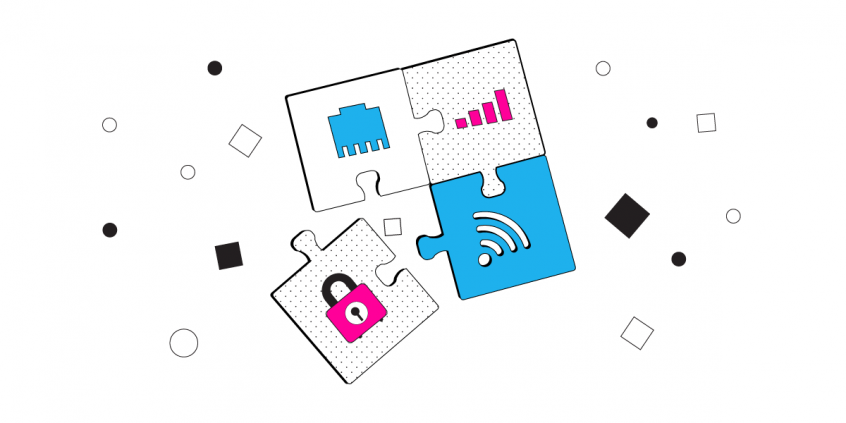
How to Combine Two or More Internet Connections
With Speedify you can easily use multiple Internet connections simultaneously for their combined speed and reliability and get a real high speed broadband connection. Everything including uploads, downloads, web browsing, and streaming video can be accelerated with our unique software-based channel bonding technology.
Use all of your connections at the same time
Multiple connections, maximum performance
Speedify is the only app that combines all of your connections to keep you online and secure when it matters most.
In the majority of cases, Speedify will automatically detect and start using any Internet connections available to your device while intelligently distributing your online traffic between them for optimal performance. If you need help we have quick start guides available for most common set ups.
I want to combine...
Combine these connections on:
Why Combine Multiple Internet Connections?
Combining multiple Internet connections gives you a faster and more reliable Internet connection. Outside of the increased bandwidth and lower latency, Speedify not only allows you to have these multiple connections on your desktop or mobile device, but it also works in the background monitoring the quality of your signal, and routing data as needed.
Speedify has automatic failover, meaning that if one connection goes bad, it automatically reroutes all the data through the remaining connection until another connection comes online.
All of this happens automatically in the background without your involvement. So, you won’t skip a beat and will be able to focus on your work or enjoyment rather than finding a working Internet connection!
When Combine Two or More Internet Connections?
There are a few scenarios where combining two or more Internet connections will save your day, literally!
Streaming Videos FROM the Internet Without Buffering of Interruptions
Have you ever tried to watch a YouTube, Facebook or Twitch video on your phone or laptop but been faced with constant buffering and lag? If you were able to add a second Internet connection to work together with the first, you would not only get faster download and upload speeds but a steady enough connection to enjoy the video without interruption.
Best Quality Live Streaming Videos TO YouTube, Facebook Live and SnapChat
When streaming live from your iPhone, iPad or Android smartphone on social media platforms such as Facebook Live, YouTube, SnapChat and others, you need your friends and followers to get the best quality non-choppy video, without any jitter. Your smartphone or tablet can work with a single connection at a time: WiFi or mobile data. But it you could use both, your videos would be better and you would not get disconnected.
Streaming Online Games to Twitch
Twitter is full of bandwidth-related Twitch complaints. Almost everybody who’s an eSports fan and streams to Twitch has had an issue with their connection bandwidth. Essentially, being able to combine multiple Internet connections gives you a competitive advantage for online gaming: lower latency, higher bandwidth and being sure you will not be dropped (disconnected) from the game.
Doing Business while Traveling – Road Warriors
How many times did your Skype business calls disconnect in the middle of the call or at least had moments when you could not understand what the others were saying? You need a reliable and fast Internet connection when moving, as the train, bus or airport WiFi hotspots are usually spotty.
Combining Multiple Internet Connections for Dummies – the Speedify Advantage
The Speedify solution to combine multiple Internet connections is unique given it’s software-only and there’s nobody else that can do this only with software. You don’t need to be an expert or have any previous technical knowledge to combine two or more Internet connections with Speedify:
- Speedify does not require you spending any extra money on additional hardware equipment such as load balancing routers or expensive dedicated channel bonding solutions to combine multiple Internet connections
- You don’t have to be a Windows, Android, macOS or iOS expert and fiddle around the advanced networking settings. Even if you were, this won’t help you actually combine connections.
- You can get started with Speedify in less than 60 seconds on all your devices, as it supports major operating systems for both desktop PCs and mobile phones.
Your Guide to Combining Multiple Internet Connections with Speedify
Speedify can take advantage of practically any Internet connection that your computer of mobile device is able to connect to, including DSL, Wi-Fi, 4G/5G devices, satellite links and tethered smartphones.
If your device or network requires additional configuration (such as running dialer software for mobile broadband networks or logging into captive portals on Wi-Fi and Ethernet networks at hotels or airports) as soon as you perform the required steps Speedify will be start using it.
Here are some tutorials for combining different types of Internet connections:
Combining connections on a PC (Windows)
- Combining Two Wi-Fi Connections
- Combining Wi-Fi and Ethernet
- Combining Wi-Fi and Cellular
- Combining Wi-Fi and Tethered Android
- Combining Wi-Fi and Tethered iPhone
- Combining Two Ethernet Connections
- Combining Ethernet and Cellular
- Combining Ethernet and Tethered Android
- Combining Ethernet and Tethered iPhone
- Combining Cellular and Tethered Android
- Combining Cellular and Tethered iPhone
- Combining Tethered Android and Tethered iPhone
Combining connections on a Mac (macOS)
- Combining Two Wi-Fi Connections
- Combining Wi-Fi and Ethernet
- Combining Wi-Fi and Cellular
- Combining Wi-Fi and Tethered Android
- Combining Wi-Fi and Tethered iPhone
- Combining Two Ethernet Connections
- Combining Ethernet and Cellular
- Combining Ethernet and Tethered Android
- Combining Ethernet and Tethered iPhone
- Combining Cellular and Tethered Android
- Combining Tethered Android and Tethered iPhone
Combining connections on a mobile device (Android, iOS)

Get started with Speedify today!
With Speedify you can combine Wi-Fi, 4G / 5G cellular, Ethernet, Starlink and other satellites into one bonded super-connection to improve livestreaming, video calling, gaming, web browsing, and everything else you do online.




Speed
Get faster uploads and downloads for everything you do online.
Stability
Avoid buffering and disconnects while streaming, gaming, and browsing.
Security
Keep your personal data safe from hackers, snoops and cyber criminals
Speedify devs love talking tech on YouTube, Tiktok, and Instagram!
Alex Gizis and the Speedify devs discuss and explain technology including Starlink satellites, Wi-Fi 7 routers, Apple networking features, fiber optics, broadband internet, 5G mobile networks, AI, networking protocols, and much more. Follow Speedify on YouTube, TikTok, Instagram, and LinkedIn!
Alex and the Speedify team are always exploring the latest in networking and security technology—like 5G, 6G, WiFi 7, laser and satellite internet—and sharing it in new discussion content across YouTube, TikTok, Instagram, and LinkedIn every week.
Got a tech question? Let's go deeper! Pop into Speedify Office Hours live every Wednesday at 10 AM Eastern. Speedify CEO Alex Gizis and our network engineers are standing by to break down your questions about networks, tech updates, and Speedify features.
